Inventory
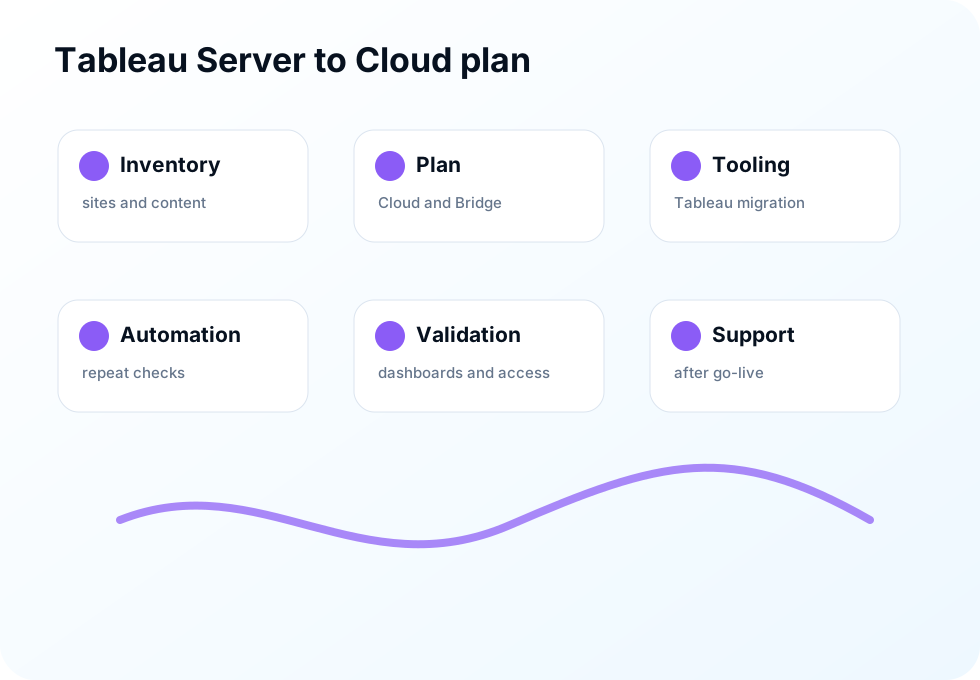
List sites, projects, workbooks, data sources, extracts, users, groups, schedules and subscriptions.

Tableau Cloud migration
We plan and deliver Tableau Server to Tableau Cloud migrations using Tableau tooling where it fits, custom automation where it helps and manual validation where accuracy matters.
What we do
This page is about Tableau Cloud Migration work. The scope is tied to the tool, the output and what your team needs to use next.
Tool language
Process
List sites, projects, workbooks, data sources, extracts, users, groups, schedules and subscriptions.
Decide what moves, what is retired, what needs Bridge and what should be tested first.
Apply official migration tools for supported objects and flows.
Use scripts and checks for repeat work, gaps and validation support.
Confirm access, refreshes, dashboards, subscriptions and user experience after go-live.
Deliverables
We keep outputs concrete so your team knows what changed, how to use it and what to do next.
Engagement model
Bring one task, one project or one specialist gap. We can stay focused on the immediate outcome or continue as delivery capacity.
FAQ
Yes. Tableau provides useful migration tooling. We use it where it fits and add planning, automation and validation around the areas it does not fully cover.
The plan is designed to reduce disruption. We migrate in controlled steps, validate important content and support users through the changeover.
Yes. We can provide managed Tableau Cloud support for permissions, refreshes, subscriptions, dashboard changes and admin questions.
Start here
Share the tool, workflow, dashboard, migration or capacity gap. We will respond with a practical next step, not a generic sales script.